Free Property Fraud Alerts: Step-by-Step Instructions for Harris and Montgomery Counties
Property fraud can involve forged deeds, unauthorized liens or other documents recorded without a property owner’s knowledge. Both Harris County and Montgomery County offer free alert systems that can notify you when a document matching information you have registered is recorded.
These alerts can help you identify suspicious activity sooner, but they do not prevent a document from being filed or confirm that a filing is fraudulent.
Harris County Property Alert System
The Harris County Clerk’s Property Alert System sends email notifications when a new real-property document is recorded under a name you have registered.
How to Register
1. Open the Harris County property-fraud page
Visit the official Harris County Clerk Property Deed Fraud page.
Select Property Alert System.
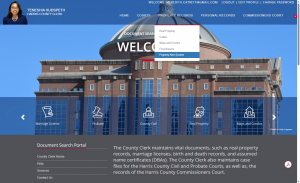
2. Create an account
Select Create New User Account or New User, then review and accept the site agreement.
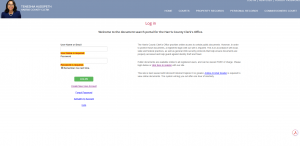
3. Enter your account information
Create a username and password, enter and confirm your email address, and complete the requested security information.
Use an email address you check regularly because alerts and account confirmations will be sent there.
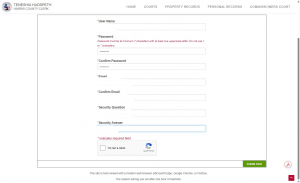
4. Confirm your email address
Check your email for the county’s confirmation messages and follow the activation instructions. Your account may not become active until all required confirmations have been completed.
5. Sign in and complete your profile
Return to the Property Alert System, sign in and enter the requested contact information.
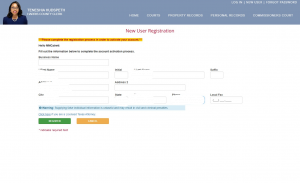
6. Add a name to monitor
Open Property Alert System from your account and enter the first and last name you want monitored.
Consider registering reasonable variations of the name appearing in your property records, including:
- A full legal name
- A name with or without a middle name or initial
- A former or previous name
- The name of a trust, company or other ownership entity shown in the records
Give each entry a simple description, such as Home, Rental Property or Family Trust.
7. Submit the alert
Submit the name, review the legal disclaimer, acknowledge it and select Proceed.
The registered name should now appear in your Property Alert System account.
Go to the Harris County Property Alert System
Montgomery County GovOS Property Alerts
Montgomery County’s GovOS Property Alerts service scans its public-records database for keywords selected by the user. When a newly recorded document contains one of those keywords, the system sends an email alert.
How to Register
1. Open the Montgomery County records website
Visit the official Montgomery County Official Records Search.
Select Register in the upper-right corner.
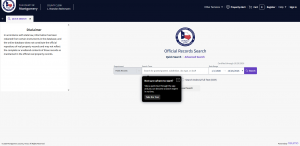
2. Create an account
Enter the requested account information and submit your registration.
3. Confirm your email address
Check your email for a confirmation message and follow the instructions to activate your account.
4. Return to the records website
After activating the account, sign in and select Property Alert, shown with a shield-and-star icon.
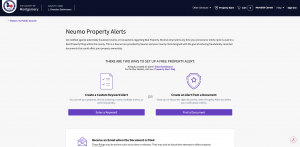
5. Create your monitoring keywords
Enter the words or phrases you want the system to monitor. Montgomery County recommends using your name and property description as keywords.
Possible keywords include:
- The property owner’s name
- Reasonable variations of the owner’s name
- A trust or business name shown in the records
- The property’s legal description
You may enter keywords manually or pull them from an existing document in the county database.
6. Save your alert
Review the keywords for accuracy and save the alert. The database is scanned daily after documents are indexed.
Set Up Montgomery County Property Alerts
What an Alert Means
An alert means that a newly recorded document matched a name or keyword you registered. It does not necessarily mean that the document concerns your property or that fraud has occurred—especially when the registered name is common.
If you receive an alert:
- Open and review the recorded document.
- Confirm whether it relates to you or your property.
- Do not ignore a document you do not recognize.
- Contact the appropriate county clerk’s office if you need help locating or understanding the filing.
- Seek legal advice promptly if you believe a document may be fraudulent.
The alert systems provide notification only. They do not prevent documents from being recorded, verify ownership or replace legal advice, title insurance or other property protections.
Need Help Finding the Official Website?
I created this guide to make the registration process easier to follow. If a county changes its website or you find that one of these instructions is no longer current, please let me know.
Meredith Catrett
GSD Real Estate Advisors
281-803-9217
meredith@gsdrea.com
Information provided for general educational purposes. County systems, procedures and website layouts may change. Contact the appropriate county office or a qualified attorney for questions about a particular filing or suspected property fraud.
Last reviewed: October 2026
